
Please try to reactive your subscription license following below steps. If the issue persists, please contact us.
For Right PDF Pro:
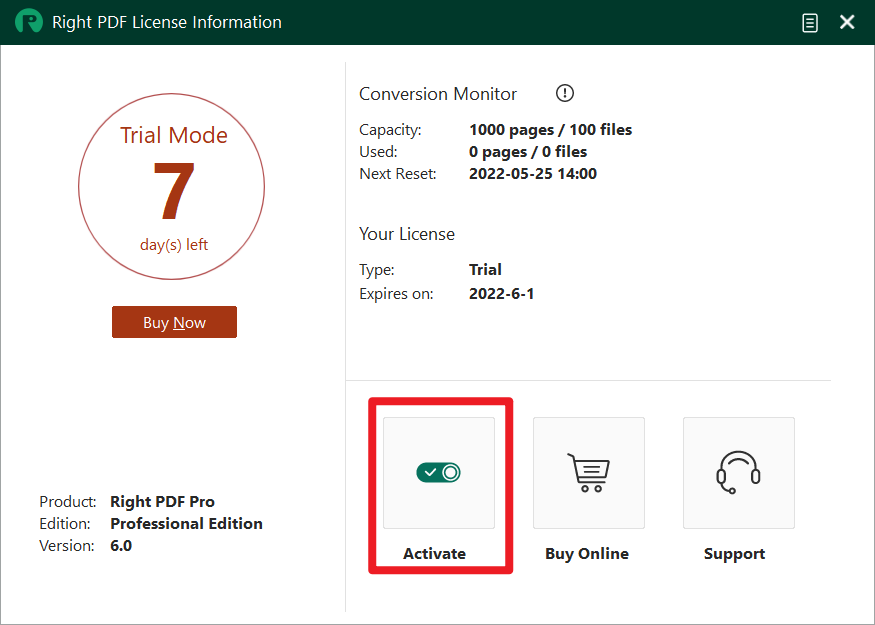
1. Simply go to "Help" > "License Information"

2. Press "Activate"
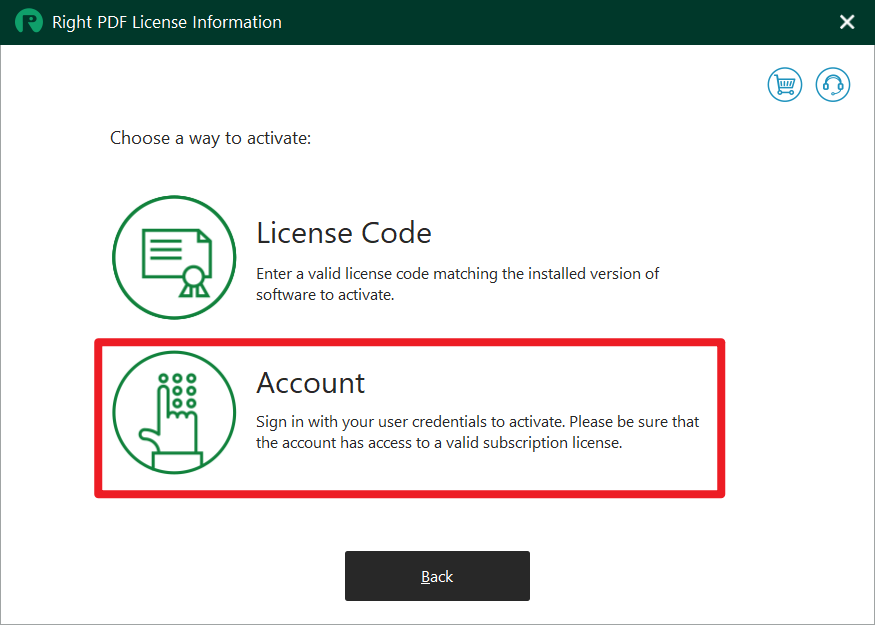
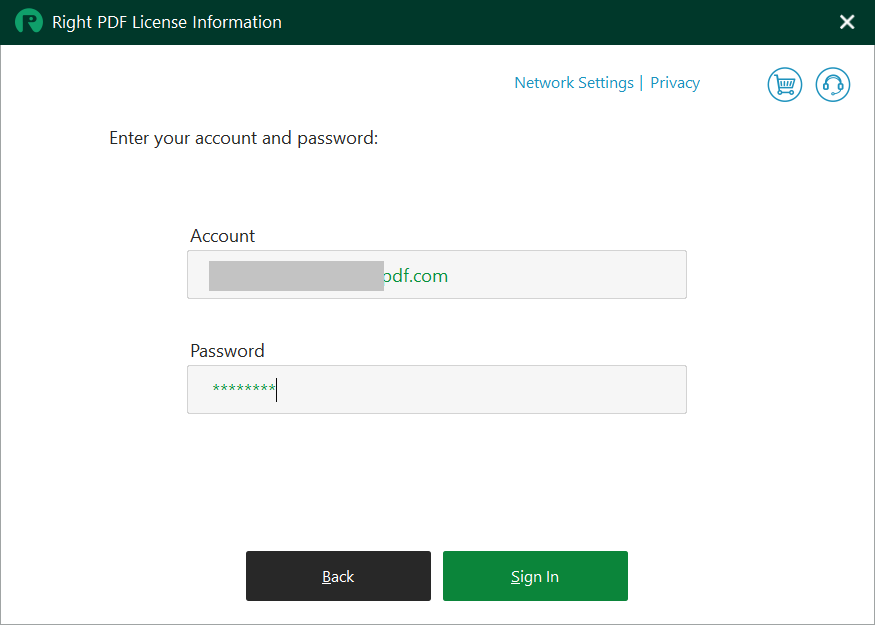
3. Select "Account" > Enter the account name and password > Sign In.
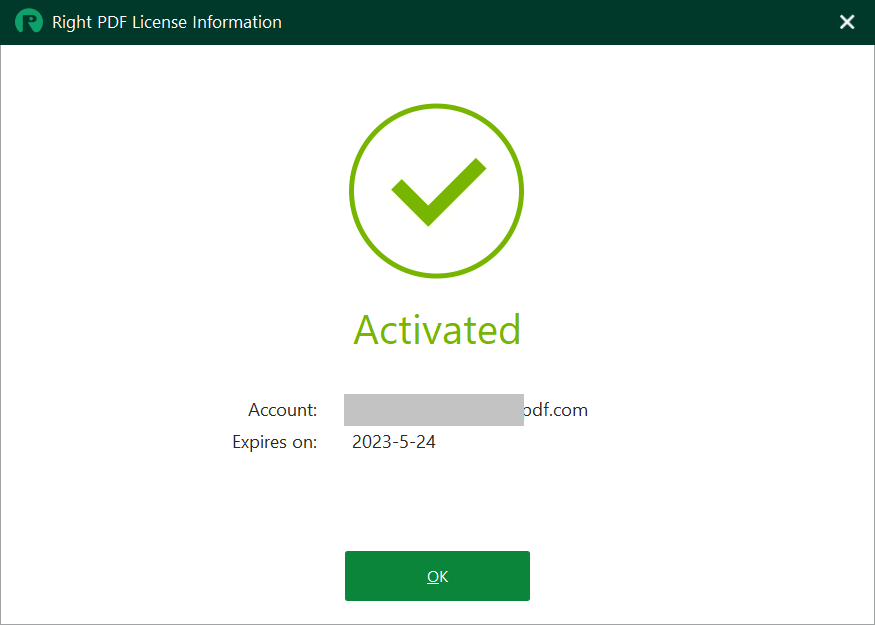
4. You have successfully signed in and activated your product!
Or Right PDF Converter:
1. Go to "Support"> "License information"
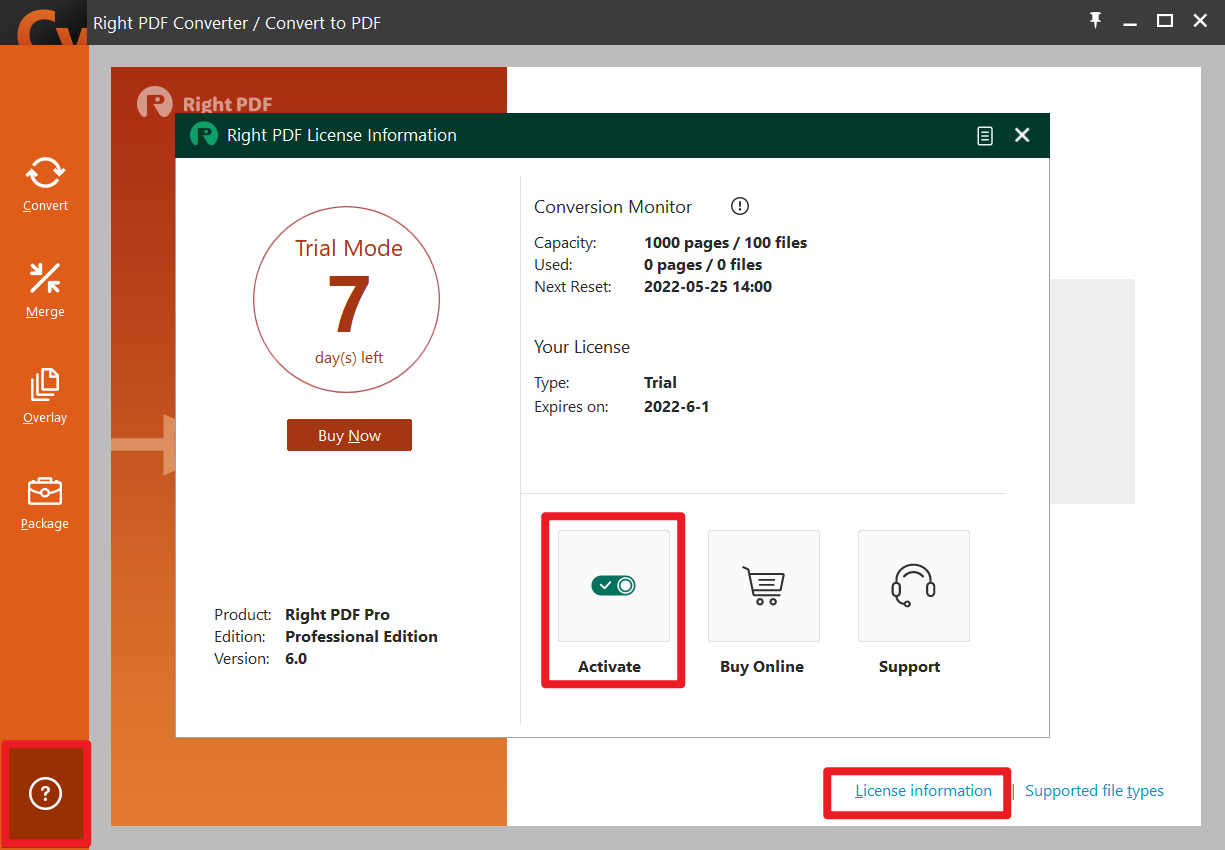
2. Press "Activate"
3. Select "Account" > Enter the account name and password > Sign In.
4. You have successfully signed in and activated your product!
Comments
0 comments
Please sign in to leave a comment.